Guides · Discount strategy
Black Friday 2026 discount strategy: plan your offers by customer segment
The easy Black Friday plan is one sitewide code for everyone. It's also the plan most likely to hand your deepest discount to customers who were going to buy anyway. This guide splits your customers into four segments, gives each one an offer that fits, and sets the codes up so they can't spread. Black Friday is 27 November 2026 and Cyber Monday is 30 November, so there's time to do it properly.
Step 1: check what last year's codes actually did
Before planning this year, look at who used your codes over Black Friday–Cyber Monday 2025 (28 November to 1 December). In Shopify Analytics, open a new exploration in the ShopifyQL editor and run:
FROM sales
SHOW orders, total_sales, discounts
WHERE discount_code IS NOT NULL
GROUP BY discount_code, new_or_returning_customer
SINCE 2025-11-28 UNTIL 2025-12-01
For each code you'll see orders and discount given, split by new and returning customers. Ask two questions:
- Did most of the discount go to returning customers? Some of them would have bought at full price. That's the discount this plan tries to win back.
- Did a code turn up far more than you sent it out? It may have spread to coupon sites. The leak guide shows how to check.
"Returning" only means the customer had ordered before. To see who had recently paid full price, drop your orders export into the free Discount Code Checker. It runs in your browser and nothing is uploaded.
Step 2: build four customer segments
In your Shopify admin, go to Customers → Segments → Create segment and paste each query. Adjust the numbers to your store: a £500 lifetime spend is a VIP for some shops and a normal basket for others.
| Segment | Segment query | Who they are |
|---|---|---|
| Subscribers who never bought | email_subscription_status = 'SUBSCRIBED' AND number_of_orders = 0 | Interested, not yet convinced. A discount can tip them over. |
| Lapsed customers | number_of_orders >= 1 AND last_order_date < -6m | Bought before, then went quiet. Worth a reason to come back. |
| Active regulars | number_of_orders >= 2 AND last_order_date > -90d | Already buying. The group most likely to use a code on an order they'd place anyway. |
| VIPs | amount_spent >= 500 | Your best customers. They care about access and recognition as much as price. |
Customers can sit in more than one segment, for example a VIP who is also an active regular. Decide which offer wins for them before you send anything, so nobody gets two codes.
Step 3: match the offer to the segment
| Segment | Offer to consider | Why |
|---|---|---|
| Subscribers who never bought | Your strongest percentage off, first order only | This is where a discount is most likely to create a sale that wouldn't have happened. |
| Lapsed customers | A win-back offer, smaller than the new-customer one | They know your products. A nudge often does the job. |
| Active regulars | Early access, free shipping or a gift with purchase instead of a deep percentage | They'll probably buy in November anyway. Protect the margin on those orders. |
| VIPs | Early access a day before the sale, or a thank-you gift | Recognition keeps them loyal without training them to wait for codes. |
If you also run a public sitewide sale, add a minimum spend or keep it shallower than the targeted offers. That way the segment codes stay worth having and the public offer doesn't undercut them.
Step 4: set the codes up so they can't leak
For each code, in Discounts → Create discount:
- Eligibility: choose Specific customer segments and pick the segment the code is for. Customers outside it can't use the code, even if it ends up on a coupon site.
- Maximum discount uses: tick Limit to one use per customer.
- Active dates: set an end date. A Black Friday code that never expires turns into a year-round discount.
- Use new codes. Don't reuse an evergreen code like WELCOME10. You'll get clean numbers for this sale, and nothing old gets a second life.
Then send each segment its code through your email tool. Shopify Email can send straight to a customer segment.
Step 5: measure it in December
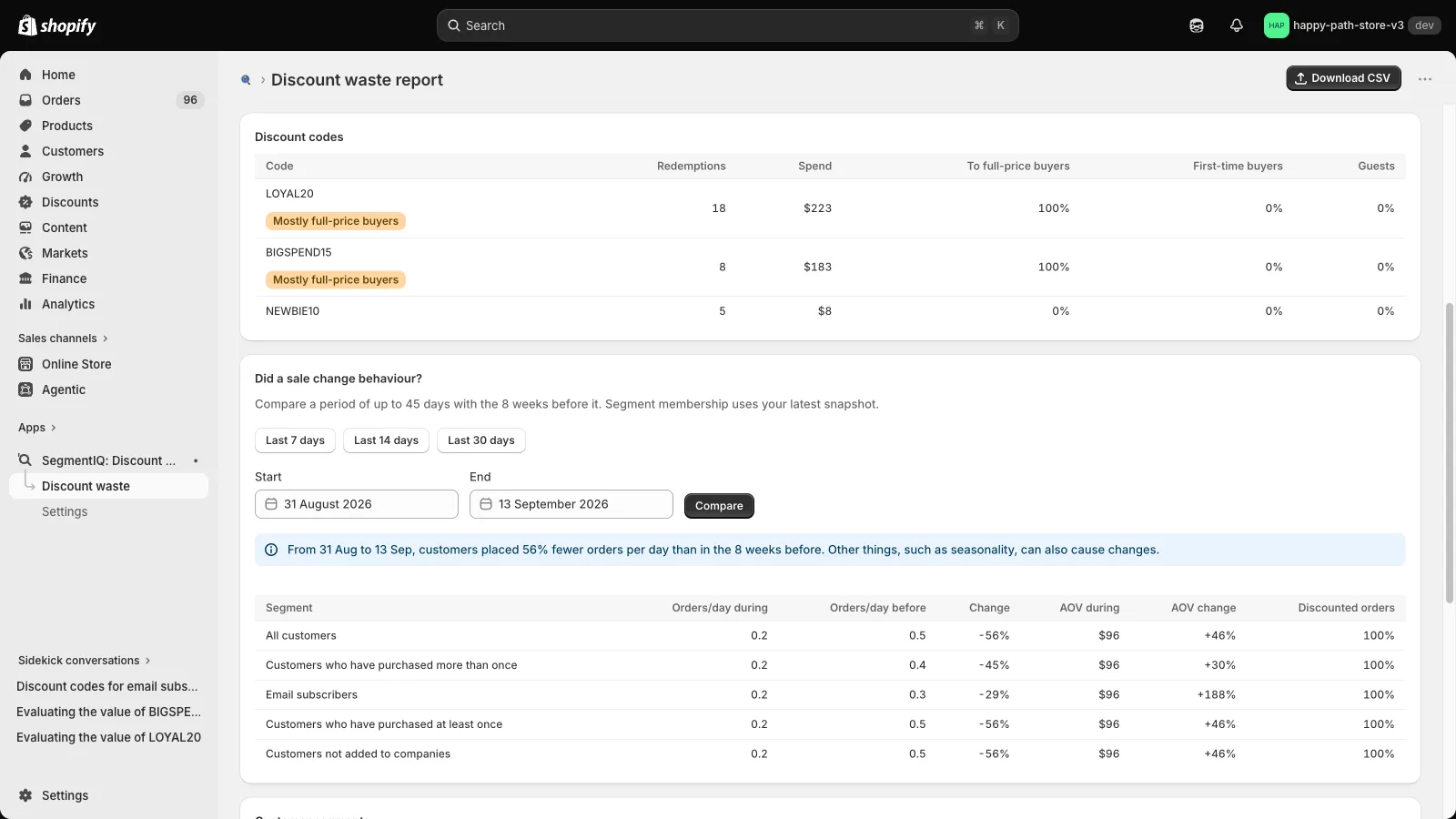
Once the sale is over, run the Step 1 query again with the 2026 dates (SINCE 2026-11-27 UNTIL 2026-11-30) and compare:
- Discount given per order, compared with last year. Targeted offers should bring it down.
- How many of your new customers came from the subscriber code, and whether they bought again in the weeks after.
- Orders in the weeks after the sale, compared with the weeks before. A deep slump means the sale mostly pulled demand forward. The cannibalization guide covers how to read it.
These comparisons describe who used each offer, not what it caused. To prove a discount caused a sale, hold one back from a random part of a segment and compare. Use what you find to plan next year's test.
A timeline that fits
- Now to mid-October: run the Step 1 check and build the segments.
- By early November: decide the offers, create the codes with eligibility, limits and end dates, and test each one with a customer inside and outside its segment.
- Mid-November: schedule the emails, with VIP early access going out first.
- 27–30 November: watch for any code being used far more than expected.
- December: measure, and write down what you'd change.
Related: Tracking discount codes by new vs returning customers · How to tell if a discount code leaked
Check your codes before Black Friday
SegmentIQ flags active codes that are open to every customer, have no once-per-customer limit or never expire. After the sale, it shows how much of each code went to recent full-price buyers, broken down by customer segment. Read-only, with a free plan.
Install SegmentIQ free